Write the whole novel in one place
StorySled keeps your manuscript, timeline, world, story arcs and book formatting together in one desktop app. Your writing stays on your own computer, in plain files you own. No account. No subscription.
Free during the beta. Windows 10 and 11, with Mac and Linux to follow.
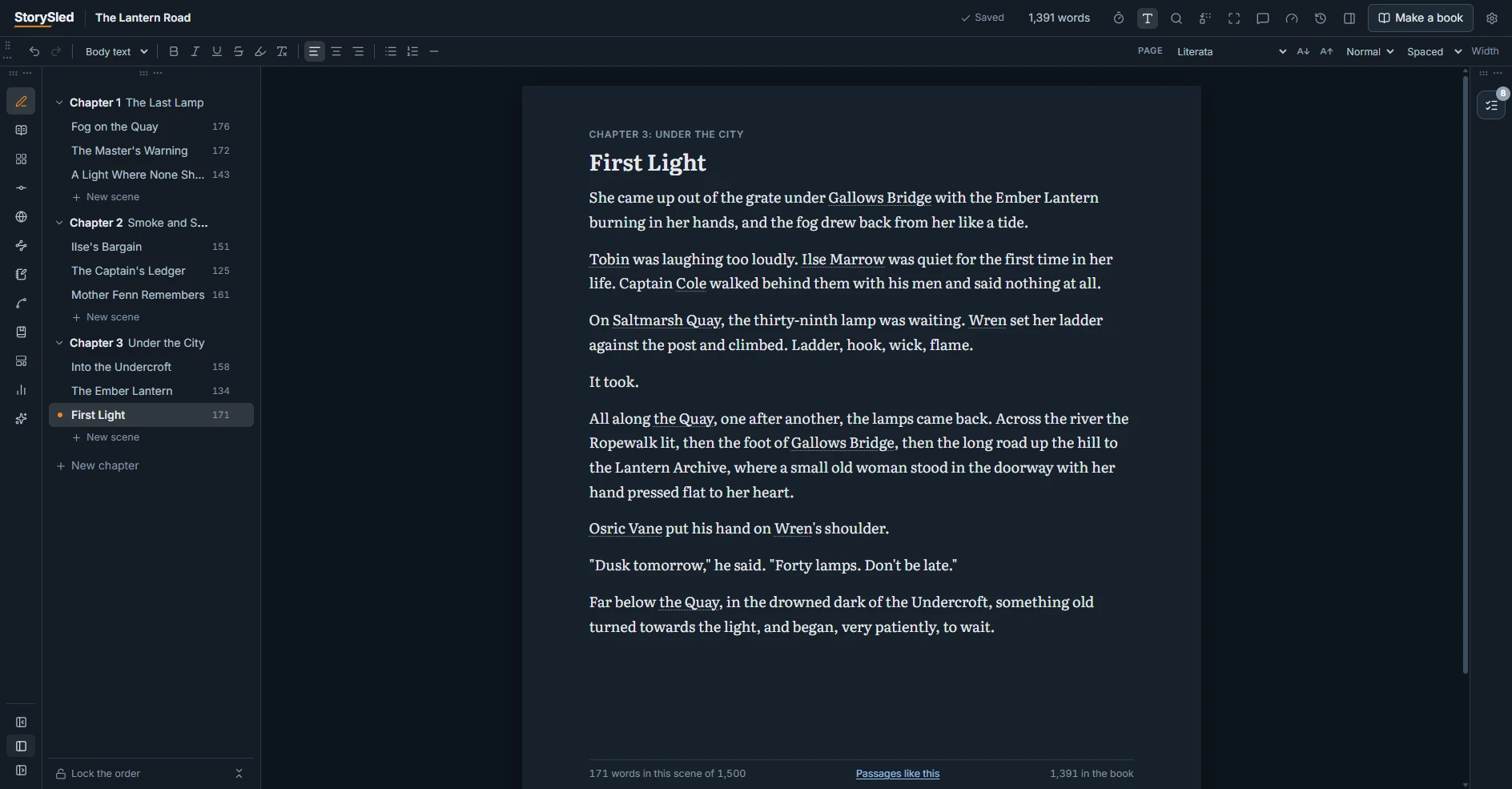
Everything a long book needs, and nothing it does not
Most writers juggle a word processor, a spreadsheet for the timeline, a notebook for the world and another app to format the book. StorySled is all of them, built to work together.
A calm place to write
Chapters and scenes you can drag into order, a distraction-free page, word goals, and every scene's date, point of view and cast one click away.
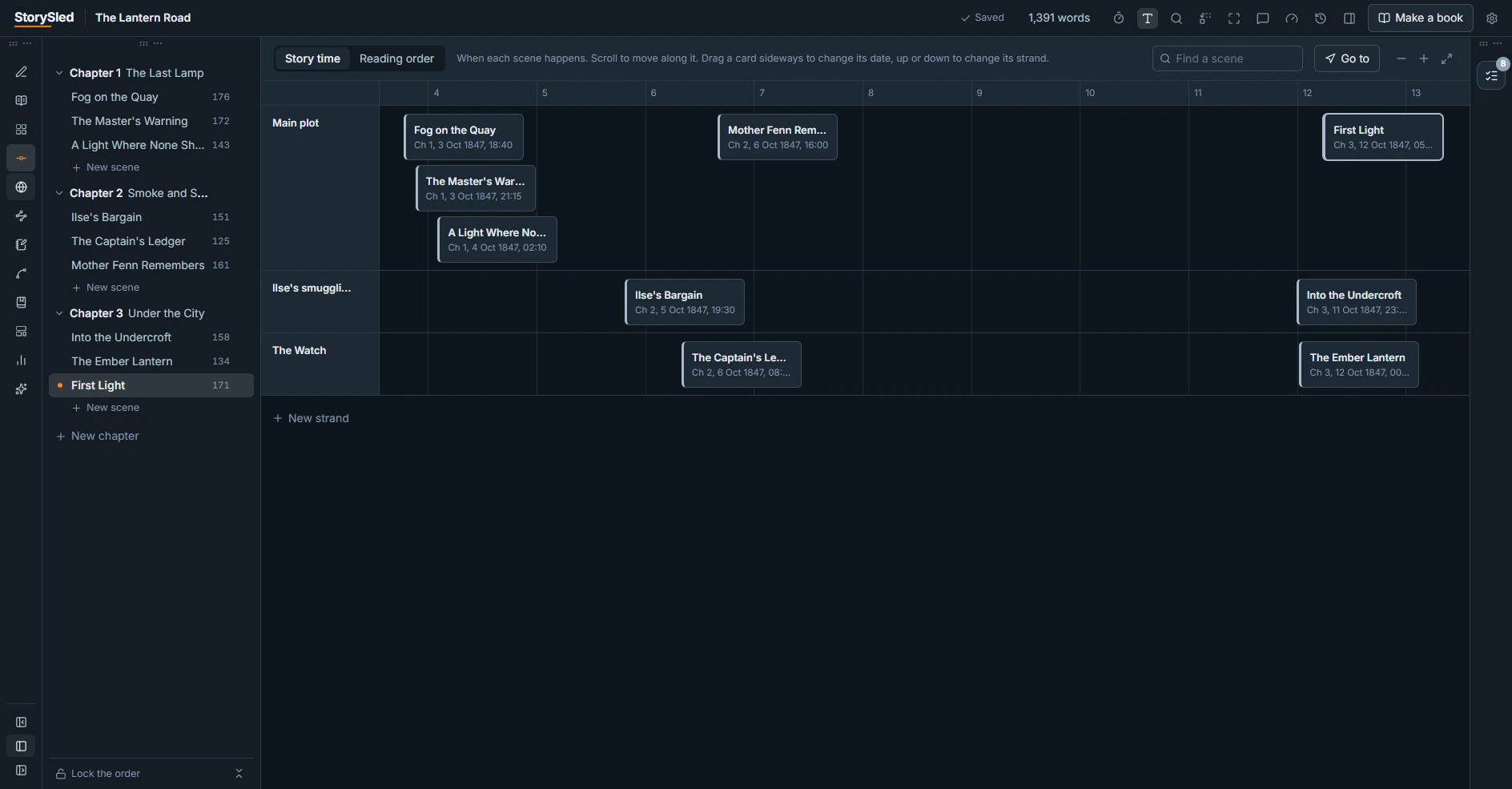
A timeline that is your story
See every scene laid out by when it happens, in parallel strands. Switch to reading order in a click, and drag a card to move it in time.
Your world, connected
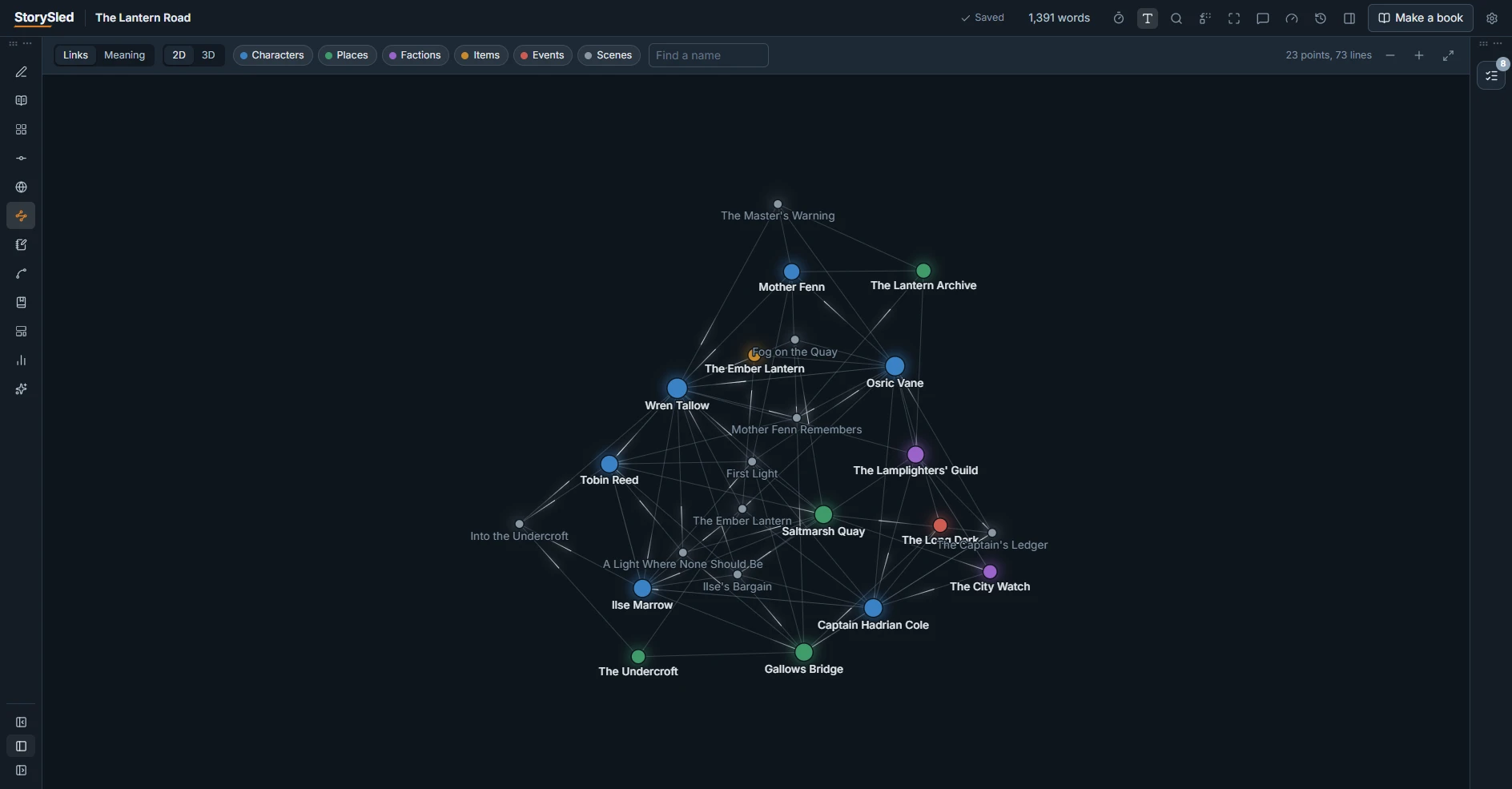
Characters, places, factions, items and events, with relationships in your own words. The Nexus draws the web of who appears with whom, by itself.
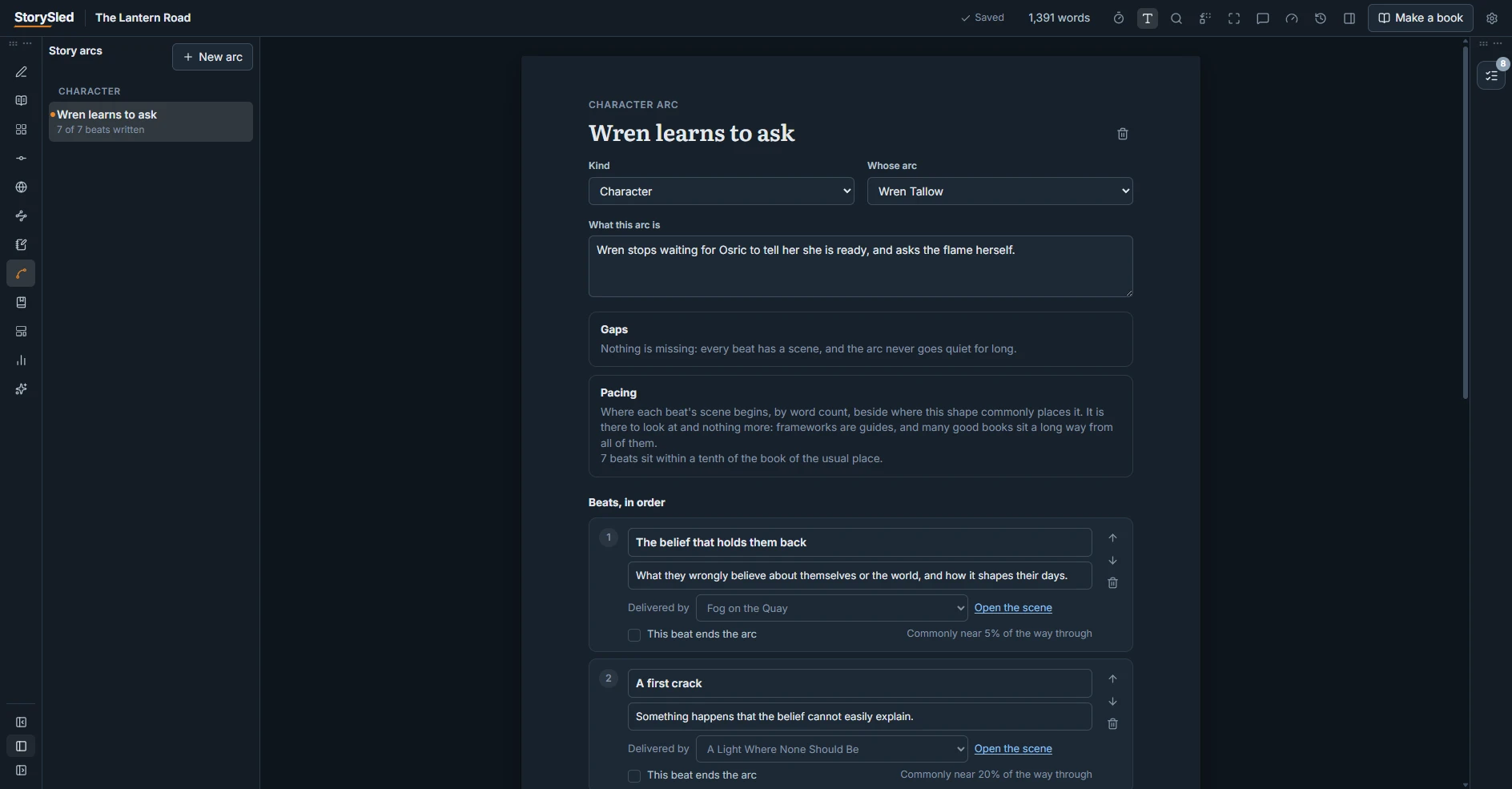
Arcs and craft templates
Start a character arc, a romance or a three-act structure from a template, then tie each beat to the scene that delivers it. StorySled points out the gaps.
Books, ready to publish
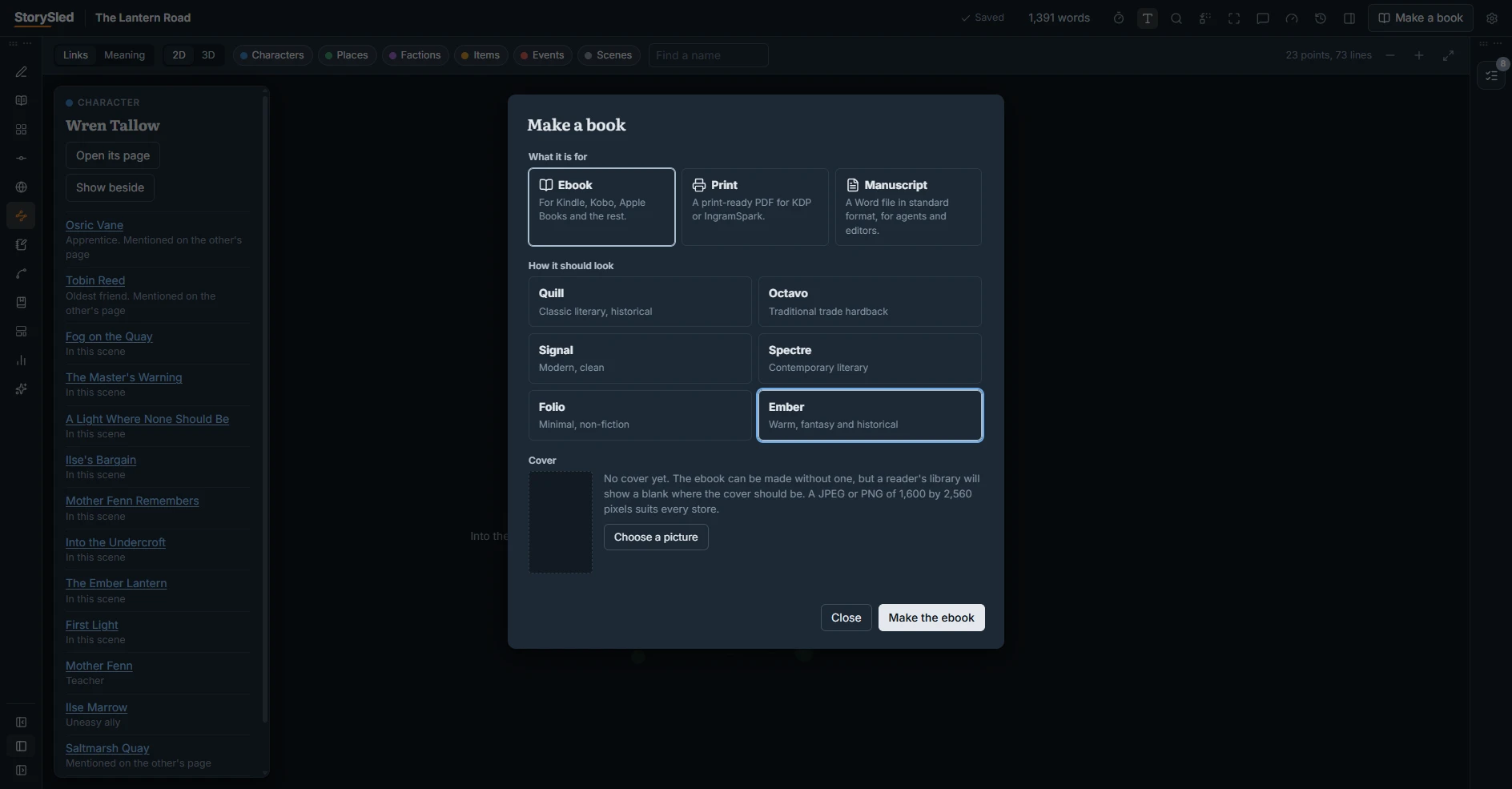
Make a styled ebook for Kindle, Kobo and Apple Books, a print-ready PDF for KDP or IngramSpark, or a manuscript in standard format for agents.
Your files, always
Plain text files on your own computer that open without StorySled. Every saved version is kept, with a way back to any of them. AI help is optional and uses your own key.
See the advanced features: continuity checks, writing insights and more
See it at work
A few minutes with a sample novel, The Lantern Road: writing a scene, the timeline, a character and her arc, the Nexus, and making the ebook. Download the ebook it made.
Made for the long haul
Every screen below is the real app, in its dark theme, with the sample novel open.
Every scene, in its place in time
Scenes sit on the timeline by the date and hour they happen, one lane for each strand of the plot. A subplot that goes quiet for too long is easy to see.
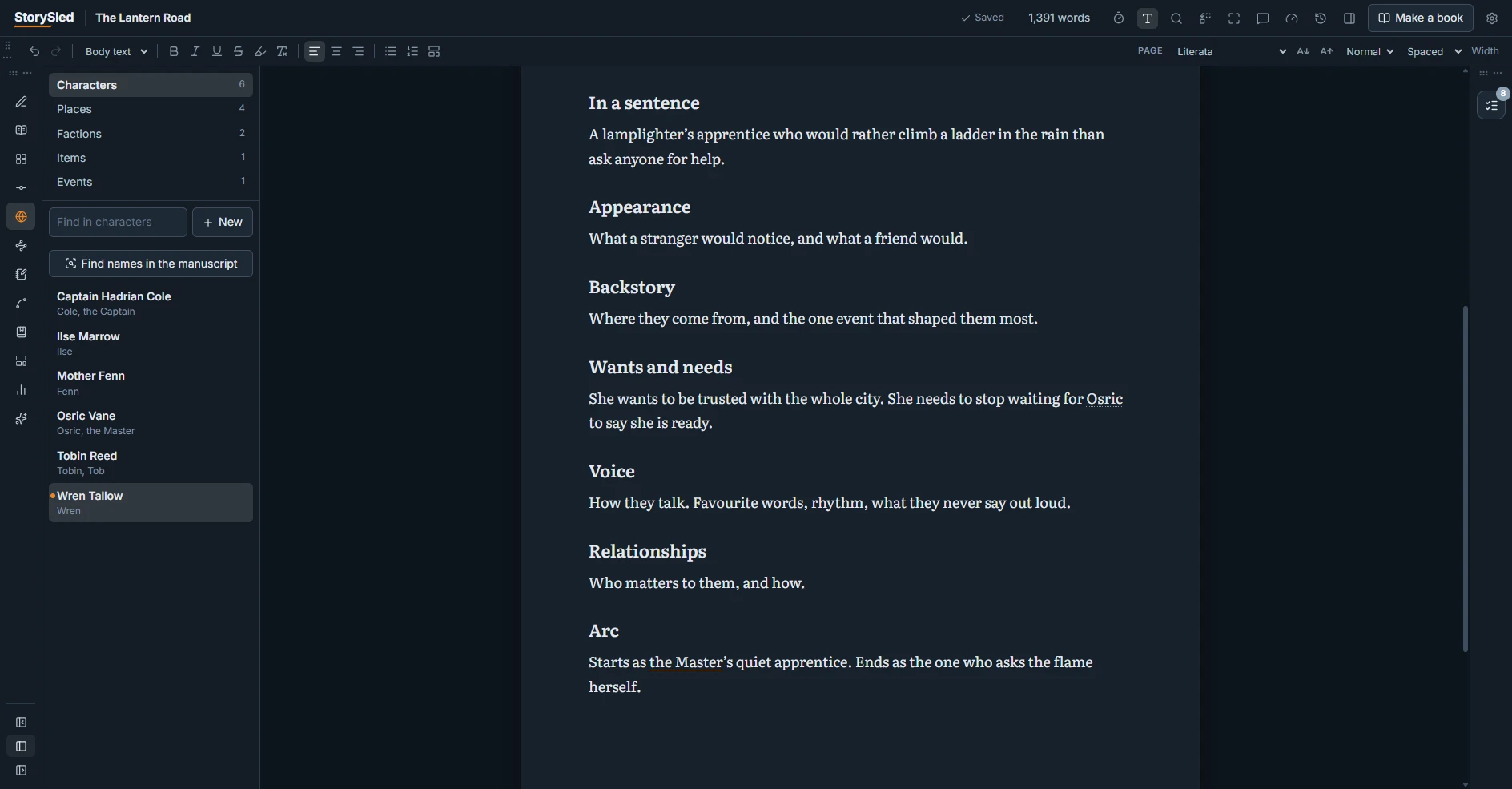
Characters with depth
Each character has a page of their own: names they go by, dates, relationships, and a character sheet started from a template and filled in your own words.
Arcs, beat by beat
Pick a shape such as Positive change, and each beat arrives with a note on what it is for. Tie every beat to a scene and watch the gaps close.
The Nexus
Your world as a web. Lines come from the story itself: people who share a scene, pages that mention each other, relationships you have recorded. Click anyone to see who they are tied to.
From draft to finished book
Choose what the book is for and how it should look, and StorySled makes it: six finished book styles, a cover, and files the stores accept.
Come and help shape it
StorySled is in beta and growing fast. Join the Discord to test it, tell us what drives you up the wall in other writing apps, and see what is coming next.